
Customer support built for Moodle
Support that already knows the context.
When someone asks for help inside Moodle, your team shouldn't have to spend the first five messages figuring out who they are, what course they're in, or where the problem happened. Chronify.Support already knows.
Give learners, instructors and administrators support directly inside Moodle - with the context your team needs to help immediately.
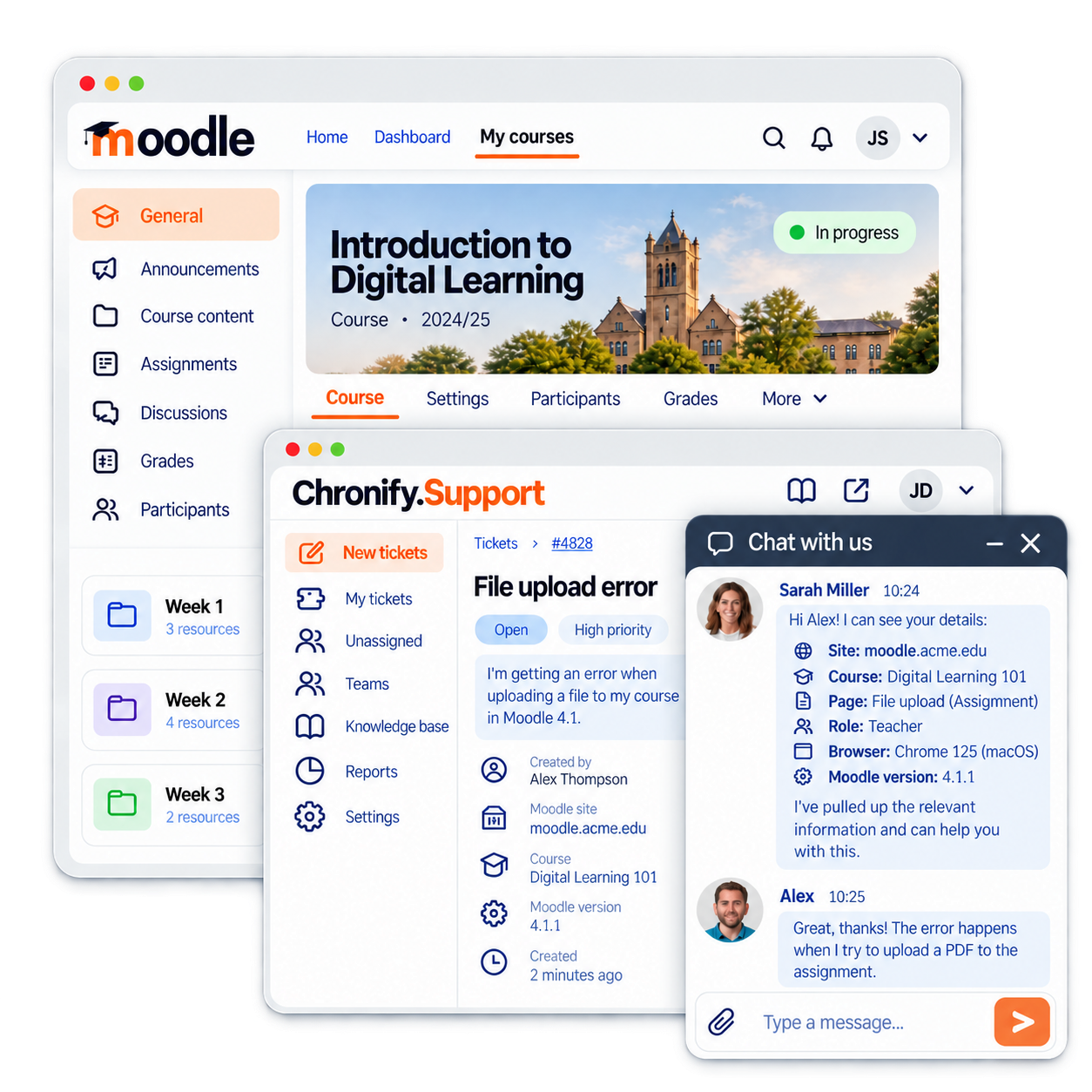
Less explaining. More helping.
Your users should describe the problem
- not their Moodle environment.
Traditional support

My course isn't working.
10:24
Which Moodle site are you using?
10:25I'm not sure.
10:26Which course and page?
10:27I'm on a page with an error.
10:28Can you send a screenshot?
10:29Chronify.Support
My course isn't working.
10:24I see it. Let me help.
10:24I already know:
- You're on the Marketing site
- In the Digital Skills course
- On the Lesson 3 page
- Using Chrome on Windows
- You're a Student
- In the live (production) environment
The page is showing a file upload error. Let's fix it.
From Moodle to your support team in seconds.
Chronify.Support connects the support conversation with the environment where the problem is actually happening.
Made for Moodle at scale
One support operation for every Moodle site you manage.
Whether you manage one environment or hundreds of customer installations, your support team works from one place.
One workspace
Manage support across every connected Moodle environment.
Site-level visibility
See tickets, activity and support trends for each site.
Smart routing
Route customers and issues to the right support groups.
Centralized oversight
Understand your entire Moodle support operation.
Built for people who support Moodle.
FOR PARTNERS
Moodle Partners
Support many customer Moodle sites from one platform, without separate support systems for each installation.
Scale support across all your Moodle customers.
FOR SERVICE PROVIDERS
Moodle Hosting & Service Providers
Make support part of your managed Moodle offering, with organized teams and a consistent customer experience.
Deliver a seamless, professional support experience.
FOR ADMINISTRATORS
Moodle Administrators
Give learners and instructors a simpler way to get help while giving your team significantly more context.
Happier learners, more efficient support teams.
- No commitment
- Tailored to your needs
- See it in action
Simple pricing
Flexible pricing for every
Moodle support setup.
Choose the plan that fits your organization - from a single Moodle site to large multi-site operations.
Single Moodle
For organizations operating one Moodle environment.
- 1 connected Moodle site
- Unlimited agents
- Unlimited Moodle users
- Unlimited tickets
- Unlimited live chats
- Unlimited conversations
- Full Chronify.Support platform
Moodle Partner / Multi-Site
For partners and organizations managing multiple Moodle environments.
- Unlimited Moodle sites
- Unlimited agents
- Unlimited users
- Unlimited tickets
- Unlimited live chats
- Unlimited conversations
- Centralized support operation
Enterprise / Custom
For larger teams that need a tailored support deployment.
- Everything in Multi-Site
- White-label experience
- Priority onboarding
- Advanced support needs
- Tailored implementation
- Custom rollout guidance
- Enterprise consultation
Hosted SaaS · No infrastructure to manage · No per-agent fees
FAQ
Frequently asked questions.
Everything you need to know before bringing Chronify.Support into your Moodle support workflow.
Chronify.Support
See what support looks like
when the platform already knows the context.
Give Moodle users a direct path to help. Give your team the information they need to start solving problems faster.